

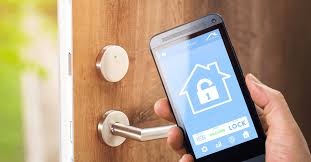
Your smart home is a bit like a castle. Sure, it’s got a fancy drawbridge (your Wi-Fi router) and some guards (maybe a firewall). But what about the pet door? Or that tiny, forgotten window in the basement? That’s the thing with the Internet of Things (IoT)—every smart lightbulb, thermostat, and voice assistant is another potential entry point. And honestly, we’ve been inviting a lot of these devices in without a second thought.
Let’s dive in. Securing your smart home isn’t about paranoia; it’s about practical awareness. It’s the digital equivalent of checking the locks at night. Here’s how to build a fortress, one connected device at a time.
Why Your Smart Toaster Cares About Security
You might think, “Who’d want to hack my fridge?” Well, it’s not usually about the device itself. A vulnerable IoT gadget is a backdoor—a stepping stone. Once inside your network, a hacker can snoop on your traffic, launch attacks on other systems, or even hold your devices for ransom. It happens more than you’d think.
Think of it like this: a weak smart plug is that pet door we mentioned. It might not lead to the treasure room, but it lets the fox into the henhouse. From there, it can get to your laptop, your phone, your everything.
The Core Principles of IoT Defense
1. The Foundation: Your Network
Everything starts here. Your Wi-Fi router is the gatekeeper. The first, non-negotiable step? Change the default password. And not to “password123.” Use a strong, unique passphrase. Next, enable WPA3 encryption if your router supports it—it’s the strongest lock available right now.
Here’s a pro move: set up a guest network. Seriously, do this. Put all your IoT devices—the TV, the cameras, the smart speakers—on this separate network. It isolates them. So even if a device is compromised, it can’t easily chatter with your main computer or phone where your sensitive data lives. It’s like having a separate, walled garden for your gadgets.
2. The Device Itself: Buying and Setting Up Smart
Not all IoT devices are created equal. Before you buy, do a tiny bit of homework. A quick search for “[device name] security vulnerability” can be eye-opening. Favor brands with a good reputation for issuing regular security updates. Because a device that never gets updated is a sitting duck.
When you set it up, always change default credentials. Many devices come with a standard admin/password combo that’s public knowledge. And disable any features you don’t absolutely need, like remote access on a device you only control at home.
3. The Maintenance: The Unsexy, Critical Work
This is where most folks drop the ball. Cybersecurity isn’t a one-time setup; it’s a habit. You know how your phone gets software updates? Your smart devices need them too. Enable automatic updates whenever possible. If you have to manually check, set a calendar reminder every few months to log into device apps and look for firmware updates.
And audit your devices. That old smart plug you bought in 2018 and forgot in the guest room? If it’s not being used, unplug it and remove it from your network. Less is more when it comes to your attack surface.
A Quick Action Plan: Your Smart Home Security Checklist
- Router Hardening: Unique admin password, WPA3 enabled, guest network created.
- Device Onboarding: Research before buying, change default passwords immediately, disable unused features.
- Ongoing Hygiene: Enable auto-updates, perform quarterly device audits, use strong, unique passwords for device accounts (a password manager is key here).
- Advanced Consideration: Consider a network security solution, like a firewall or a router with built-in threat detection, for deeper protection.
Special Considerations: Cameras, Voice Assistants, and the “Creep Factor”
Some devices need extra care. Smart cameras and voice assistants are, by design, intimate. For cameras, ensure their feed is encrypted (look for “TLS” or “end-to-end encryption” in specs). Point them away from private spaces and use physical lens covers when you can. For voice assistants, review your voice history periodically and delete old recordings. Mute the microphone when having sensitive conversations—it’s okay, the device won’t be offended.
The goal here is control. You should dictate what these devices see, hear, and share.
The Human Element: Your Biggest Strength and Weakness
All the tech in the world can’t fix a bad habit. Be skeptical. That email from your “security department” about your smart TV account? Probably phishing. That unbelievably cheap, no-name smart gadget from an obscure website? Likely a security nightmare. Trust your gut. If a device or a message feels off, it probably is.
In fact, the most common smart home security risks often boil down to user oversight—weak passwords, neglected updates, that kind of thing. The tech is only half the battle.
So, where does this leave us? Building a secure smart home isn’t about achieving perfect, impenetrable security. That’s a myth. It’s about layering defenses—making it so inconvenient and difficult for a potential attacker that they move on to an easier target. It’s about moving from a house with dozens of tiny, open windows to a well-monitored home with sturdy locks and clear sightlines.
You get to enjoy the convenience of a connected life without, you know, leaving the keys under the mat. Start with your router tonight. That one action is a massive step. The rest, well, it’s just building the habit. Your digital castle is worth it.